
Specialisations are clear entry points
Robotic surgery, hernias, colorectal surgery, proctology and obesity surgery can each be explored separately, without an ambiguous menu.
Showcase website / Medical services
A website that helps patients understand the right area of care, get to know the doctor and find the appointment step without getting lost in hard-to-follow medical language.
Devrika project / strategy, UX/UI, WordPress development and launch
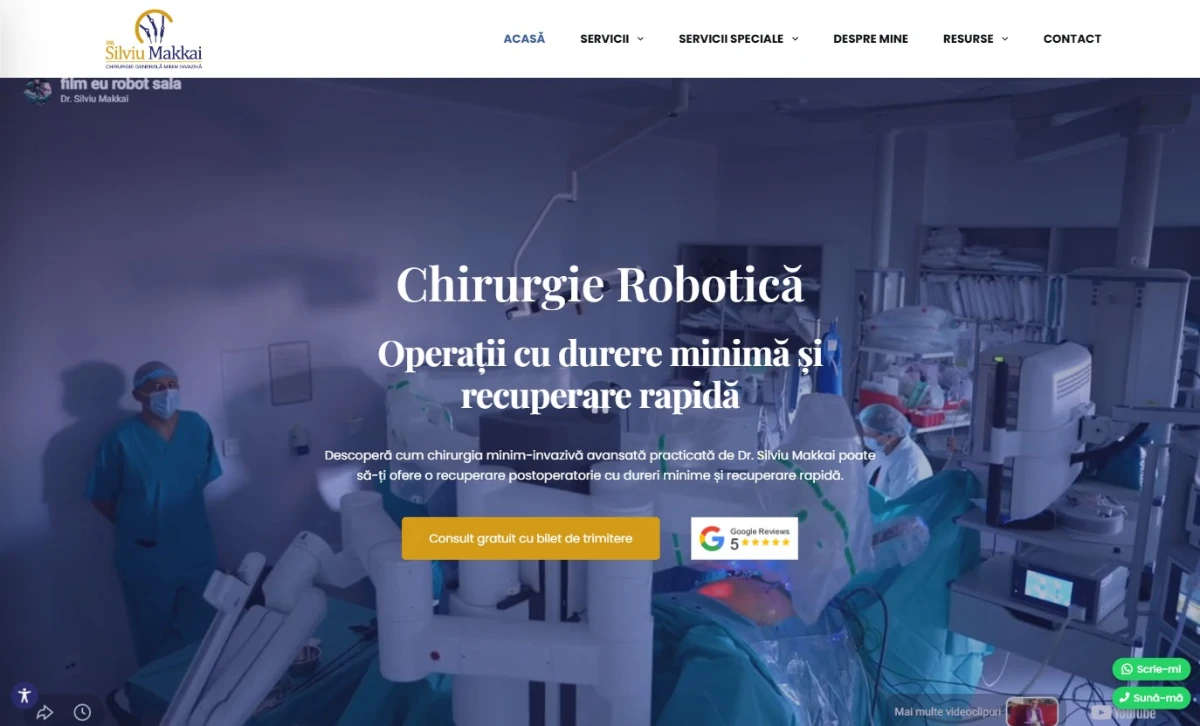
The main screenshot shows the interface we built. The medical content, articles, schedule and contact details can be updated by the client.
Project at a glance
People who land on a medical website need calm, clear reference points and a short path to help. We organised the specialisations, the doctor’s profile and the contact details into a presentation that can be read at an unhurried pace.
Where we started
For a medical website, the design has to help patients find their way without oversimplifying the information. The project presents the doctor’s specialisations, the types of procedures and the minimally invasive approach in a structure that can be followed even in a stressful moment.
The website had to cover several surgical areas and leave room for new content, without putting all the explanations on the same page. Each topic has its own path, and booking an appointment always stays close at hand.
What we wanted to keep simple for the patient
Why it looks this way
We started from the questions a patient asks and separated the information, the professional profile and the contact into easily recognisable steps.
Robotic surgery, hernias, colorectal surgery, proctology and obesity surgery can each be explored separately, without an ambiguous menu.
Experience, training and areas of practice appear in context, so patients know who is explaining the information they are reading.
Dedicated pages use headings, paragraphs and visual cues that make a complex subject easier to follow, without any medical promises.
Contact options and the next step are visible at the key points of the journey, without interrupting reading or putting pressure on the patient.
What we built
We built a coherent foundation for services, professional profile, information and contact, not just a single presentation page.
Separate pages for medical areas, profile, articles and contact.
Blue, white space and calm components, suited to medical communication.
Each topic has its own explanations and a dedicated path to the next step.
The doctor’s experience and training are presented in a structure that is easy to verify.
Useful details and contact actions stay accessible along the main path.
The menu, content and key actions stay readable on mobile.
Project tour
The homepage provides orientation, the medical areas narrow the search, and the profile and editorial content add context before contact.

01 / First impression
The professional image, the specialty and the contact action form a calm first screen. Visitors understand where they’ve landed and can continue to the medical area that interests them.

02 / Medical areas
Robotic surgery and the other areas can be opened separately. The structure allows fuller explanations, relevant images and links to related topics, without a crowded page.

03 / Information
Headings and short sections help readers find the key points. Articles can continue the explanation, and the website remains a source of guidance, not a substitute for a consultation.


04 / Trust and contact
Real photos, the profile and content about the medical practice build context before contact. On mobile, these elements stack into a single column and lead naturally to booking.
The delivered result
The website is public, and the journey can be followed from the first introduction through to the medical areas, profile, articles and contact.
Each important topic has a dedicated page, accessible from the navigation.
Information about the doctor and the practice is available directly.
The contact details and contact page are built into the main user path.
The site is for information only and does not replace a medical consultation. We do not publish clinical or commercial results without documentation and consent.
Live site
Start from the home page, open the area that interests you and check the profile, the articles and the contact options. The content can be updated by the client.
Next project
We show you what information people need to see, how we can organise it and how long the project takes, before you pay anything.