
Categories start from use
Generators, construction site machinery, measuring equipment and specialist tools can be opened directly from the catalog.
Online store / Machinery and equipment
A technical store where professionals quickly reach the right category, understand the product and can move on to ordering without hunting for key information through a crowded catalog.
Devrika project / strategy, UX/UI, ecommerce development and launch
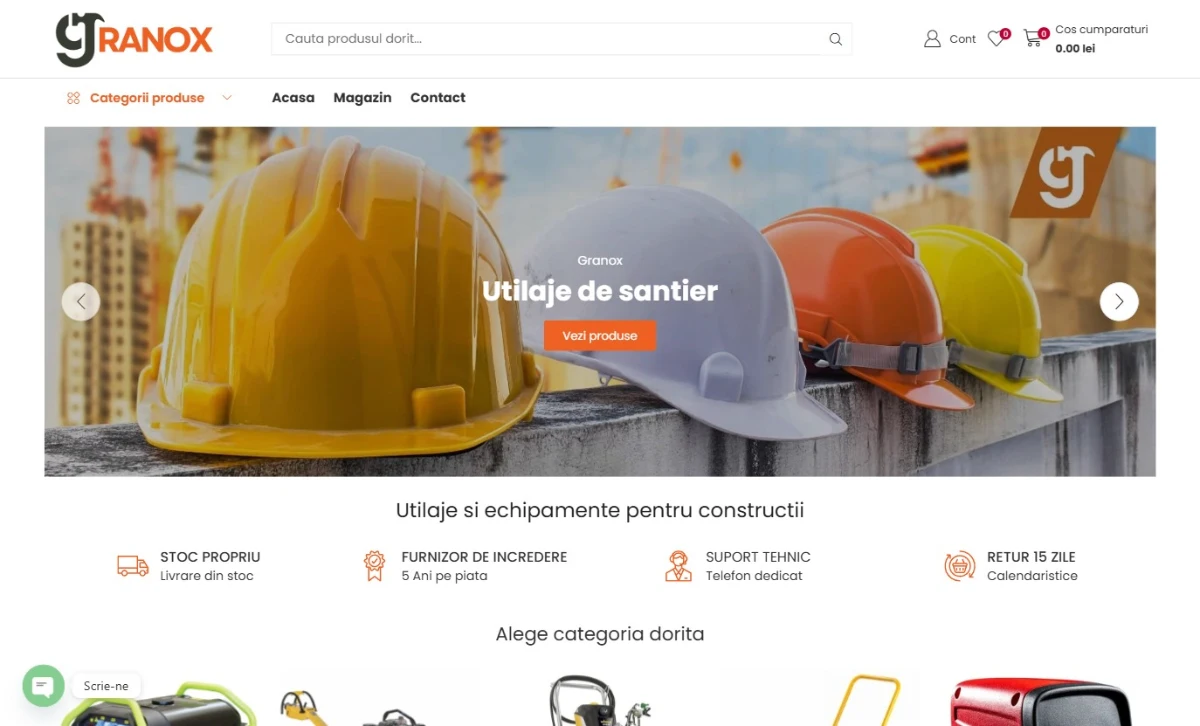
The main screenshot shows the interface we built. Products, prices, stock and promotions are managed and updated by the client.
Project overview
The technical buyer arrives with a specific need: a generator, a plate compactor, a welding machine or a finishing tool. We organized the store around these searches, not around a general presentation.
Where we started
Granox brings together machinery, equipment and accessories for very different kinds of work. The site had to keep the catalog easy to explore, even when products have technical specifications, applications and investment levels that can’t be compared by a single feature.
Granox brings together equipment that varies widely in use, size and specifications. The structure had to stay familiar both when visitors are browsing and when they already know the brand or product code they’re looking for.
What we wanted to keep simple for the buyer
Why it looks this way
We turned product diversity into predictable landmarks: easily recognizable categories, search, consistent product pages and clear commercial actions.
Generators, construction site machinery, measuring equipment and specialist tools can be opened directly from the catalog.
Anyone already working with a manufacturer can explore that brand’s products without retracing the whole path through categories.
Images, product code, price, availability and technical information are grouped in one place that is easy to scan.
Available products can be added to the cart straight from the listings, and the product page keeps the next step close to the useful information.
What we built
We delivered a structure that supports categories, brands, products and checkout in one unified experience, from the first search to the cart.
Equipment families follow the way people actually search for them.
The menu, the categories and the search give several ways into the same product.
Visual cards make it easy to recognize the right machine or job.
Images, codes, price and technical information sit in the same context.
Adding to the cart and continuing to checkout stay predictable actions.
The catalog, the filters and the key actions stay readable on mobile.
Project tour
The homepage opens the catalog, categories narrow down the search, and products keep the information and the order in the same flow.
01 / First impression
The main screen combines the commercial message with access to the store. Visitors quickly see that they can search for machinery, equipment and tools, without going through a long company presentation.


02 / Categories
Generators and construction machinery have distinct entry points. The images support the technical names and reduce effort when the buyer explores a new product family.


03 / Selection
Paint sprayers and plate compactors are not mixed together in a generic list. Categories allow a shorter selection, and products can be compared in the context of their job.

04 / Product and order
The photo, name, brand, code and commercial information work together. From the listing or the product page, the buyer can continue to the cart without losing the chosen equipment.
The delivered result
Granox is live and can be browsed from the main categories through to products, brands, search, cart and commercial information.
The main categories are visible and can be explored separately.
The name, brand, price and availability are shown in the catalog.
Available products have an add-to-cart action built into the purchase flow.
Products, prices, stock and promotions may change after launch. This presentation describes the observable structure and behavior of the store.
Live site
Start from a category, search for a brand and open a product page. You will see how navigation, technical information and ordering stay connected.
Next project
We show you how the categories, product pages and path to order can be laid out, plus how long the project takes, before you pay anything.